Copy the design of an existing document when creating a new document
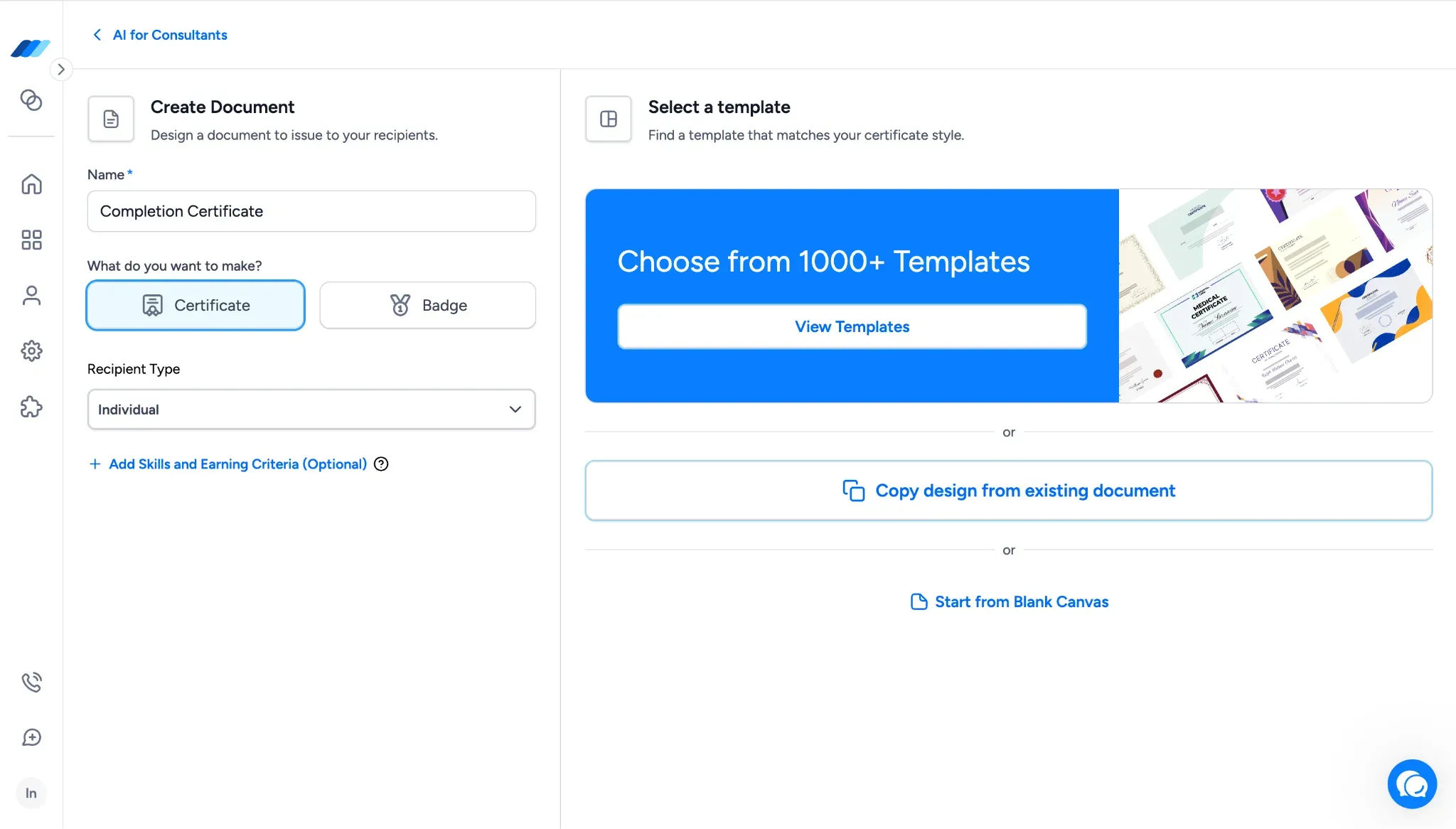
You can now start a new document from the design of one you've already built.
Inside the Create Document flow, after you select a Document Type, you'll see three design-source options:
View Templates
Copy Design from Existing Document
Start from Blank Canvas
The middle option opens a Copy Document modal that lists your existing documents. Pick a source document, click Start Design, and its design opens in the Design Studio as the starting point for the new document. From there, you can adjust the design as needed and continue the rest of the document setup.
What this means for you:
Reuse a design you've already built without rebuilding it from scratch in the Design Studio
Keep visual consistency across related documents when running similar programs or cohorts
Save hours of design work when launching new credentials that build on ones you've already refined
Additional updates
We also shipped smaller improvements across templates and design options:
Expanded Template Library - the Template Library now includes 1,200+ templates, with new additions covering Forklift certifications, ISO 27001, POSH, Baptism, and other themes and use cases.
Larger Design Studio font library - the Design Studio font library now includes 40 fonts, spanning modern, serif, display, handwritten, and decorative styles for use across different credential designs.
More signature font styles - the Signature section now supports 20+ signature font styles, giving you more signature-like typography options when adding signatures to credential designs.