Copy a credential link directly from the Credential Audit Log
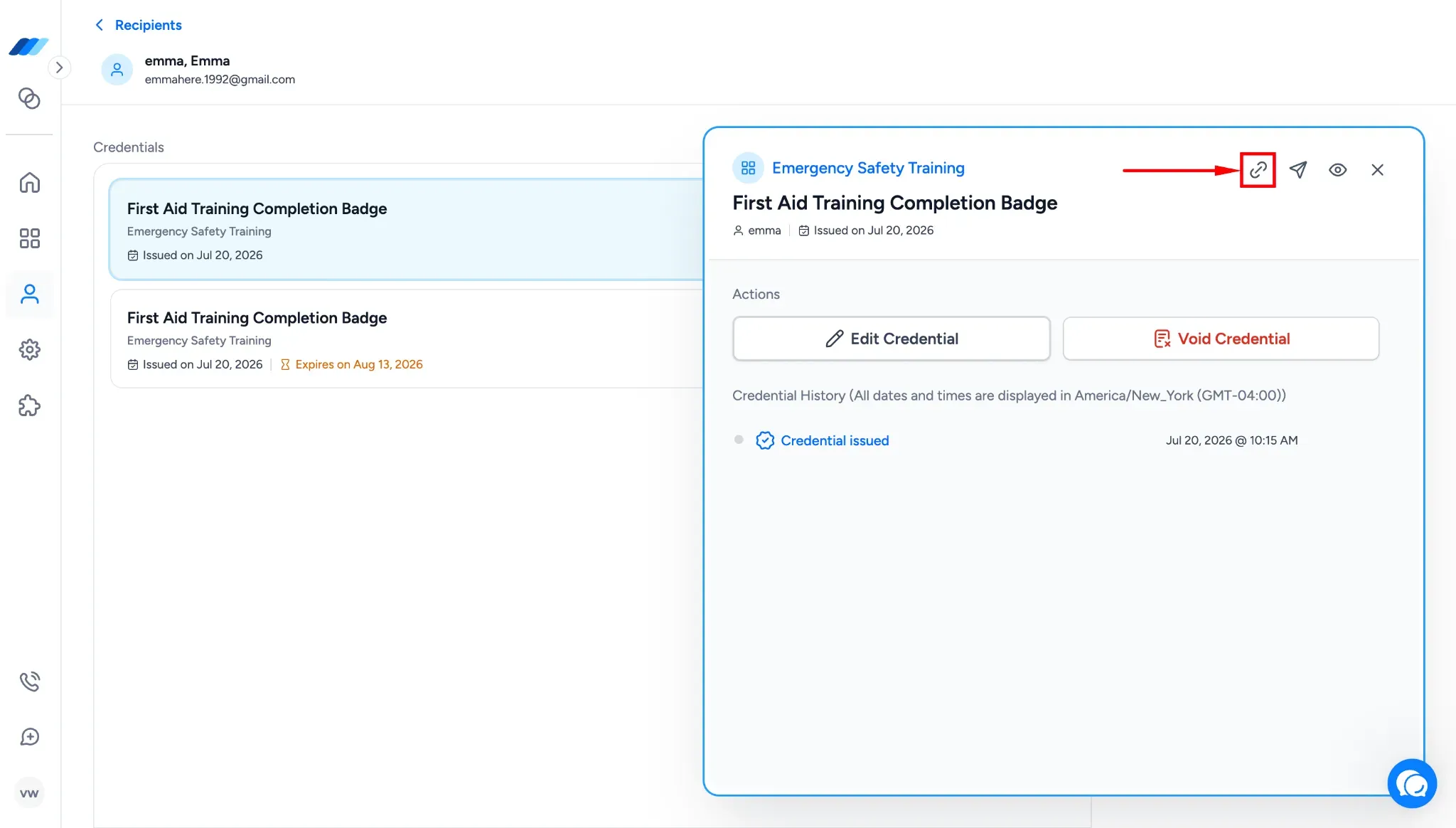
A new Copy Link button now sits inside the Credential Audit Log modal, next to Resend Credential. It copies the recipient-facing credential link to your clipboard so you can share it through email, chat, or any other channel without triggering a resend or reissue.
To find it, go to the Recipients tab, select a recipient, and open a credential. The Copy Link button appears alongside Resend Credential inside the modal. Clicking it copies the link to your clipboard without opening a new page or changing the credential.
What this means for you:
Share a recipient's credential link through your own channels without reissuing the credential
Recover a link quickly when a recipient can't find the original email or it landed in spam
Skip the resend flow when you only need to send the same link again