Add image attributes to credential designs
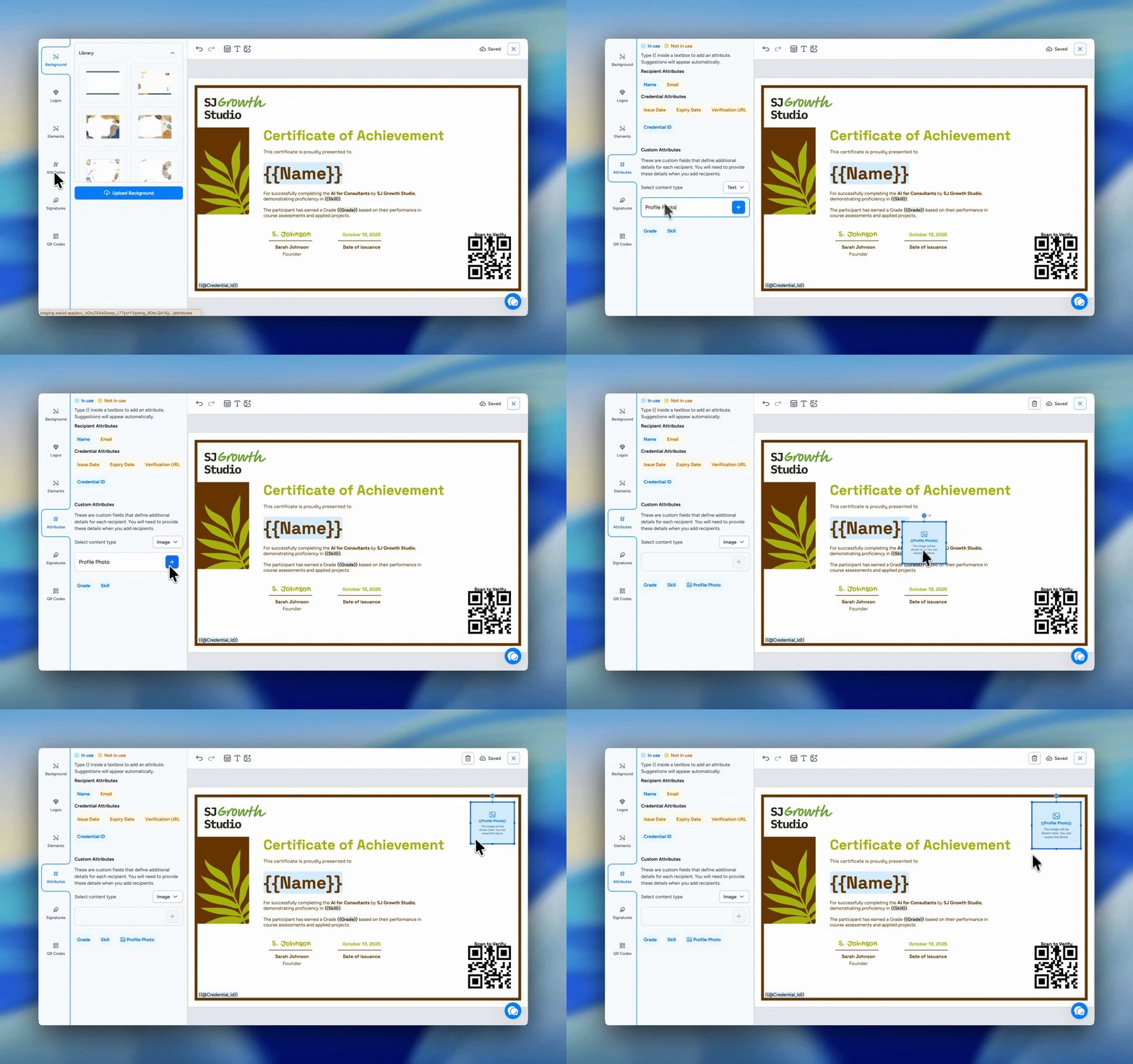
You can now add image attributes to your credential designs, giving you more flexibility to personalize credentials with recipient-specific visuals.
With this update, custom attributes can be created as either Text or Image attributes. Image attributes can be used for details such as profile photos, signatures, logos, ID photos, or other visuals that may be different for each recipient.
Once an image attribute is added to the Design Studio, you can place it on the canvas and resize it however you need. The image preserves its original aspect ratio and expands to fit the selected area, so it stays clean and consistent in the design.
You can also use the existing resizing, snapping, and layering options in the Design Studio to position image attributes more precisely and create better credential layouts. Before issuing, these images are shown in the credential preview, helping you review how each recipient’s credential will look.
This helps you create credentials that feel more personal, branded, and complete, while giving your recipients credentials that include the right visual details for their achievement or identity.